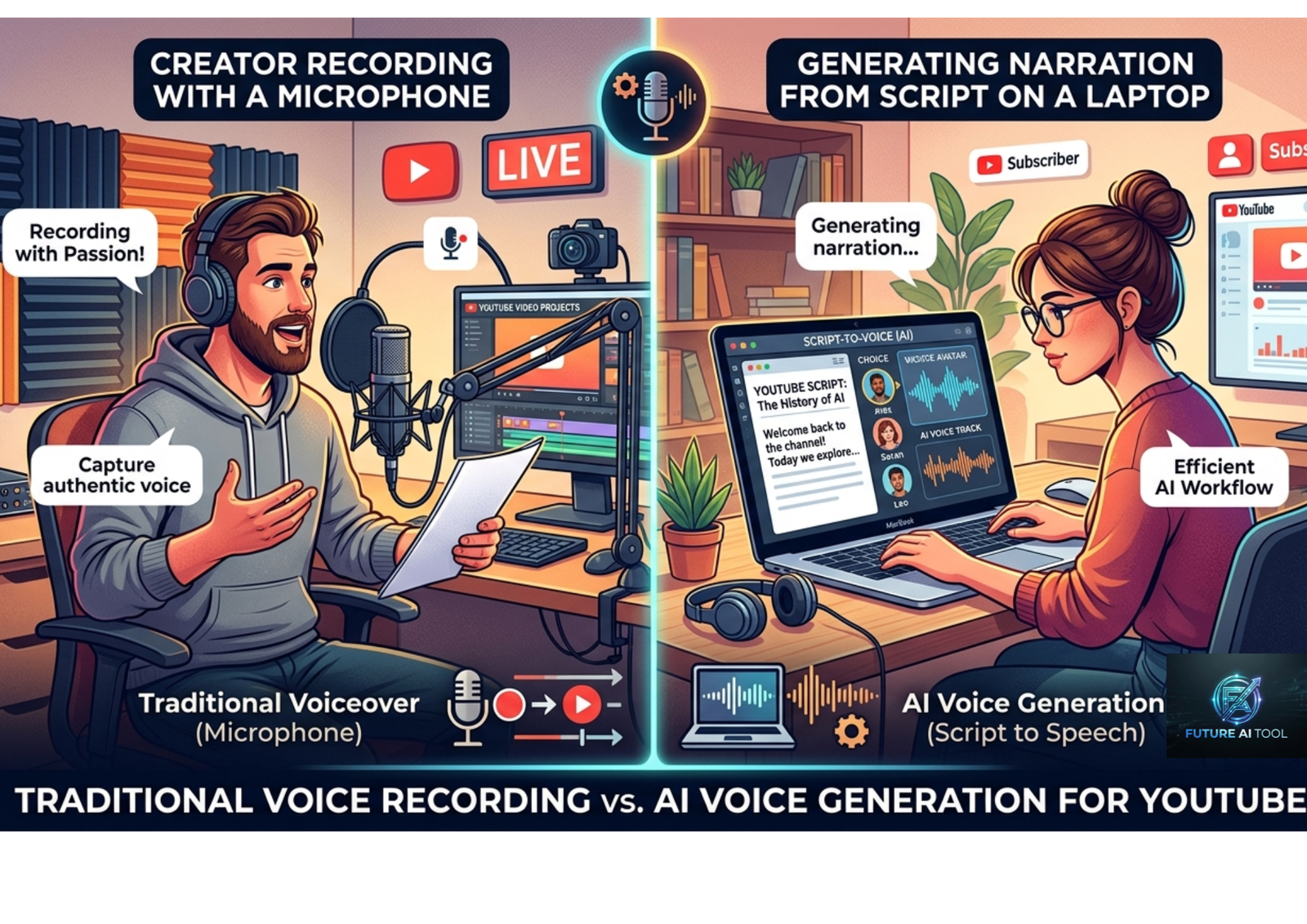
Why YouTube Creators Are Turning to AI Voices
Recording a voiceover used to mean a quiet room, a decent microphone, several takes, and hours of editing. For a channel publishing three or four videos a week, that adds up to a serious time sink.
AI voice generators have changed that math. You paste in a script, pick a voice, and get natural-sounding narration back in under a minute. For faceless channels, tutorials, documentaries, and explainer content, this single shift often removes the biggest production bottleneck entirely.
It’s not just about speed, either. Hiring a professional voice actor can cost anywhere from $100 to $500 per finished minute, with turnaround measured in days. An AI voice generator produces comparable quality in seconds, at a fraction of the cost, and lets you regenerate a line instantly if the pacing feels off.
The technology has also caught up in quality. The newest voice models reproduce the small details that used to give synthetic speech away — natural breathing between phrases, rising and falling inflection, and the slight pause before an important point. For a casual viewer, there’s often no obvious sign the narration isn’t human.
That said, not every tool is built the same way, and picking the wrong one can leave your content sounding flat or robotic — which directly hurts the two things YouTube rewards most: retention and watch time.
What Actually Matters When Choosing a Tool
Here’s the truth most comparison lists skip: by 2026, the top five or six AI voice tools all pass a casual listening test. Voice quality alone isn’t the real differentiator anymore. What actually separates them is how well they fit your production workflow.
Before choosing a tool, weigh these factors:
- Voice realism over time. A voice can sound great in a 10-second demo and turn flat or repetitive over a 10-minute script. Test with a full-length script, not just a short clip.
- Commercial usage rights. YouTube monetization requires commercial rights to everything in your video, including the voiceover. Some free plans explicitly exclude commercial use.
- Pricing per finished minute. Character-based pricing can be misleading once you’re producing hours of content monthly. Calculate the real cost per video, not just the monthly fee.
- Voice cloning. Useful if you want a consistent voice across every upload, or want your AI narration to sound like your own recorded voice.
- Multilingual support. Important if you’re translating content for global audiences or running multiple language versions of a channel.
- Workflow integration. Script editing, word-level captions, SRT export, and plugins for editors like Premiere or DaVinci Resolve all save real time at scale.
- Delivery control. The ability to adjust pacing, tone, and emphasis without rewriting your whole script matters more as your content variety grows.
Best AI Voice Generators for YouTube Creators {#best-ai-voice-generators-for-youtube-creators-list}
1. ElevenLabs
ElevenLabs is widely considered the benchmark for voice realism. Its latest model produces expressive, natural narration with convincing emotional range, and its speech-to-speech feature lets you record a rough take with the right delivery, then transform it into a polished AI voice that keeps your timing and emotion intact.
It also offers professional voice cloning and a large voice library covering many accents and styles.
Best for: Storytelling, true crime, and any content where emotional range and realism matter most.
Watch out for: Character-based credit pricing can get expensive for long-form or high-volume creators, and free-tier output typically excludes commercial rights.
2. Murf AI
Murf is built around a drag-and-drop studio experience, with a built-in editor that syncs voiceover to specific video frames. It includes a wide range of professional tones suited to corporate explainers, tutorials, and presentation-style videos, plus commercial licensing that’s straightforward to use on monetized channels.
Best for: Educational content, corporate-style explainers, and creators who want fine control over pacing and delivery without a steep learning curve.
Watch out for: Its workflow leans more corporate-polished than fast-and-scrappy, which can feel less suited to rapid Shorts production or high-volume testing.

3. LOVO AI
LOVO combines voice generation with video editing, subtitles, and script writing in a single workspace, which cuts down on context-switching between tools. It’s particularly strong for character-style narration, skits, and expressive social content.
Best for: Creators who want an all-in-one workspace and more expressive, character-driven narration styles.
4. Descript (Overdub)
Descript integrates AI voice generation directly into its transcript-based editor. Its Overdub feature lets you fix mistakes in an existing recording just by typing the correct word — the AI regenerates that section of audio to match your original tone and pacing.
Best for: Podcast editors and long-form creators who want to fix flubs without a full re-record.
Watch out for: Voice cloning through Overdub should only be used with your own voice or with explicit permission, and licensing terms are worth checking before commercial use.
5. PlayHT
PlayHT offers a broad voice library with strong controls for pacing and emphasis, along with multilingual support across many accents. It’s a solid middle-ground option for creators who want realism and customization without committing to the priciest tier on the market.
Best for: Multilingual channels and creators who want variety without a steep budget jump.
6. Speechify
Speechify converts text into clear, natural speech with adjustable tone and speed, and it handles long scripts well. It’s straightforward to use and works smoothly with most video editors for quick exports.
Best for: Creators who want simple, reliable narration without a complex workflow to learn.
7. Fiverr Go (AI Audio Generator)
Fiverr Go takes a hybrid approach — combining AI generation with real voice actors from Fiverr’s marketplace. You get the speed of AI with a human review layer, plus the ability to request revisions before finalizing.
Best for: Creators who want AI-level speed but still want a human quality check before publishing.
8. Amazon Polly / Google Cloud TTS / Microsoft Azure TTS
These enterprise-grade text-to-speech platforms are less creator-focused out of the box but offer strong reliability, high-volume pricing, and broad multilingual coverage through their APIs. They’re commonly used by creators who publish at very high volume or who integrate voice generation into an automated content pipeline.
Best for: High-volume or automated workflows where API reliability and cost-per-character at scale matter more than a polished creator interface.
9. Budget-Friendly Newcomers (e.g., AI TextSpeak, LetsVocal)
A newer wave of lower-cost tools has emerged specifically targeting beginner YouTubers. These typically offer a genuinely usable free tier — often with commercial rights included from the start — and low-cost paid plans well under $10/month for a meaningful volume of characters.
Best for: Beginners and creators testing whether AI narration fits their channel before investing in a premium tool.

Comparison Table
| Tool | Best For | Free Tier | Commercial Rights on Free Tier | Starting Paid Price |
|---|---|---|---|---|
| ElevenLabs | Realism & emotional range | Yes (limited characters) | No | ~$5/month |
| Murf AI | Corporate/explainer polish | Yes (limited) | Varies — check plan | ~$19–29/month |
| LOVO AI | All-in-one video + voice workspace | Yes (limited) | Varies — check plan | ~$19/month |
| Descript (Overdub) | Podcast/long-form editing | Yes (limited) | Varies — check plan | ~$16/month |
| PlayHT | Multilingual variety | Yes (limited) | Varies — check plan | ~$19/month |
| Speechify | Simplicity & speed | Yes (limited) | Varies — check plan | ~$11/month |
| Fiverr Go | AI + human quality check | No (marketplace pricing) | Yes, via marketplace terms | Per order |
| Amazon Polly / Cloud TTS | High-volume/API workflows | Yes (usage-based) | Yes, typically | Pay-as-you-go |
| Budget newcomers | Beginners on a tight budget | Yes, often generous | Often yes | ~$3–10/month |
Pricing, character limits, and commercial rights change frequently across these platforms. Always confirm current terms directly on the provider’s site before relying on a plan for monetized content.
Which Tool Fits Your Type of Channel
- High emotional range (storytelling, true crime, motivational content): ElevenLabs or LOVO AI
- Moderate emotional range (tutorials, reviews, explainers): Murf AI or PlayHT
- Straightforward, factual delivery (news, lists, facts): Most top-tier platforms work well here — pick based on budget
- Long-form or podcast-style editing: Descript
- Tight beginner budget: A budget-friendly newcomer with a genuine free tier and included commercial rights
- High-volume or automated production: Amazon Polly, Google Cloud TTS, or Microsoft Azure TTS
Pros and Cons of Using AI Voices for YouTube
Pros
- Massive time savings compared to recording and editing a human voiceover
- Consistent, repeatable voice quality across every upload
- Instant regeneration if pacing or delivery isn’t quite right
- Multilingual narration opens your content to global audiences
- Removes a major barrier for creators who are camera-shy or lack a quiet recording space
Cons
- Free tiers often exclude commercial rights, which matters for monetized channels
- Character-based pricing can get expensive at high volume if not calculated carefully
- Voices can sound flat over very long scripts if the tool isn’t built for long-form narration
- Some viewers still prefer authentic human narration for emotional or personal content
- Voice cloning raises consent and ethical considerations that creators need to handle responsibly
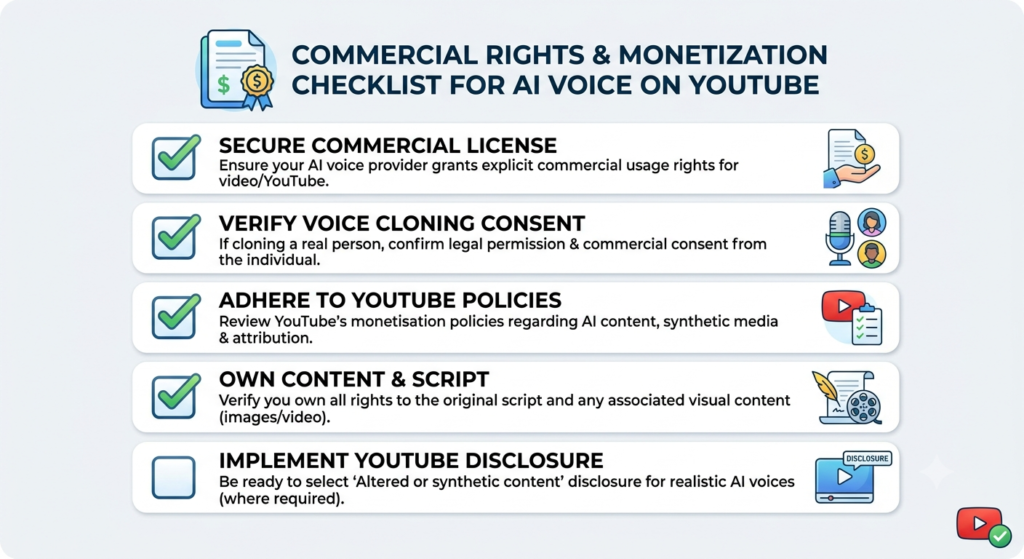
Commercial Rights and Monetization: What to Check First
This is the part creators overlook most often. A great-sounding voice doesn’t automatically mean you can monetize the video built around it.
- Check whether the plan includes commercial usage rights, not just whether the voice itself sounds professional. Many free tiers are for personal or non-commercial use only.
- Read the specific terms for monetized platforms. Some tools word this differently for “YouTube monetization” versus general commercial use.
- If you clone a voice, only clone your own voice or one you have explicit permission to use. This applies both ethically and often contractually.
- Keep records of your subscription tier and terms at the time you published a video, in case licensing terms shift later.
Common Mistakes Creators Make With AI Voices
- Choosing a voice that sounds robotic or overly flat, especially on longer scripts
- Using default pacing without adjusting it to match the content type
- Ignoring pronunciation overrides for names, brands, or technical terms
- Picking a tone that doesn’t match the genre — for example, a cheerful voice on a serious documentary
- Skipping script structure, which affects how naturally the AI paces pauses and emphasis
- Never testing a voice with real viewers before committing to it as a channel’s permanent voice
- Using a free generator without checking whether commercial use is actually allowed
How to Get the Most Natural-Sounding Narration
- Write for the ear, not the eye. Shorter sentences and natural punctuation help the AI produce more realistic pacing.
- Match the voice to the format. A finance explainer benefits from calm authority; a product tutorial needs clarity and energy.
- Use pronunciation overrides for brand names, technical terms, or anything the tool might mispronounce by default.
- Test a full script, not a snippet. Voices that sound great for 10 seconds can flatten out over several minutes.
- Layer in pacing adjustments rather than rewriting your whole script when a section feels off.
Frequently Asked Questions
1. What is the best AI voice generator for YouTube creators?
There’s no single universal answer — it depends on your content type and budget. ElevenLabs generally leads on realism, Murf AI is strong for polished corporate-style content, and budget newcomers work well for beginners testing the waters.
2. Can AI voice generators replace human narration on YouTube?
AI voices can produce high-quality narration quickly and are good enough to carry many channels on their own. However, some creators still prefer human narration for deeply personal or emotionally driven content.
3. Do I need commercial rights to use an AI voice on a monetized YouTube channel?
Yes. YouTube monetization requires commercial usage rights for everything in your video, including narration. Many free tiers exclude this, so always check the specific plan’s terms before publishing monetized content.
4. Is voice cloning safe to use for YouTube videos?
Voice cloning can be used safely and responsibly when you clone your own voice or have explicit permission from the person whose voice you’re cloning. Most reputable platforms include safeguards to prevent misuse.
5. How much does an AI voice generator cost for a YouTube channel?
Pricing varies widely, from free plans with limited characters to premium plans around $20–100 per month for regular uploaders. Cost per finished minute matters more than the sticker price, since character-based pricing can be misleading at scale.
6. Which AI voice generator supports the most languages?
Several platforms, including PlayHT and ElevenLabs, support a wide range of languages and accents, making them strong choices for creators targeting global audiences.
7. Will viewers notice my narration is AI-generated?
With top-tier tools in 2026, many casual viewers won’t notice, since modern models reproduce natural breathing, inflection, and pacing convincingly. Quality still varies by platform and by how carefully you write and adjust your script.
8. What’s the difference between AI voice generators and voice cloning tools?
A standard AI voice generator uses pre-made synthetic voices from a library. Voice cloning tools create a custom voice model based on a sample of a specific person’s speech, which lets you generate narration that sounds like that individual.
9. Are there free AI voice generators with no watermark for YouTube?
Some tools offer free plans with clean audio exports and no watermark, though character limits and commercial rights vary significantly. Always verify both the export quality and commercial terms before relying on a free plan.
10. What should I test before committing to an AI voice generator?
Run a full-length script through the tool, not just a short demo, and listen for consistency, pacing, and emphasis over several minutes. Also confirm pricing per finished minute and commercial rights before building a workflow around it.
Conclusion
AI voice generators have moved from a novelty to a genuine production tool for YouTube creators. The best options in 2026 — ElevenLabs, Murf AI, LOVO AI, Descript, PlayHT, and a growing wave of budget-friendly newcomers — all produce narration good enough to carry a channel, so the real decision comes down to your content type, budget, and workflow needs.
Our recommendation: If voice realism and emotional range matter most, start with ElevenLabs. If you want a polished, all-in-one workflow for tutorials or explainers, Murf AI or LOVO AI are strong picks. If you’re just starting out and want to test the waters without spending much, a budget-friendly tool with a genuine free tier and included commercial rights is the smartest first step. Whichever you choose, always confirm commercial usage rights before publishing monetized content — that detail matters more than voice quality alone.