If you opened ChatGPT recently and felt a little lost, you’re not alone. Between new model names, a rebuilt memory system, and features with unfamiliar names like “Sites” and “Work,” ChatGPT has changed a lot this year.
The good news? Most of these updates make the tool easier to use, not harder. This guide breaks down every major ChatGPT 2026 feature in plain English, so you can figure out what actually matters for you.
Whether you’re a complete beginner or someone who uses ChatGPT for work every day, you’ll walk away knowing exactly what’s new, what it does, and whether it’s worth your time.
The New GPT-5.6 Model Family Explained
Let’s start with the biggest change: the model itself. OpenAI has released GPT-5.6, which now powers ChatGPT, Codex, and the OpenAI API.
Instead of one single model, GPT-5.6 comes in three flavors:
- GPT-5.6 Sol – the most powerful version, built for complex reasoning, research, and demanding tasks.
- GPT-5.6 Terra – a balanced option that mixes intelligence with speed and lower cost.
- GPT-5.6 Luna – built for lightweight, high-volume tasks where speed matters more than depth.
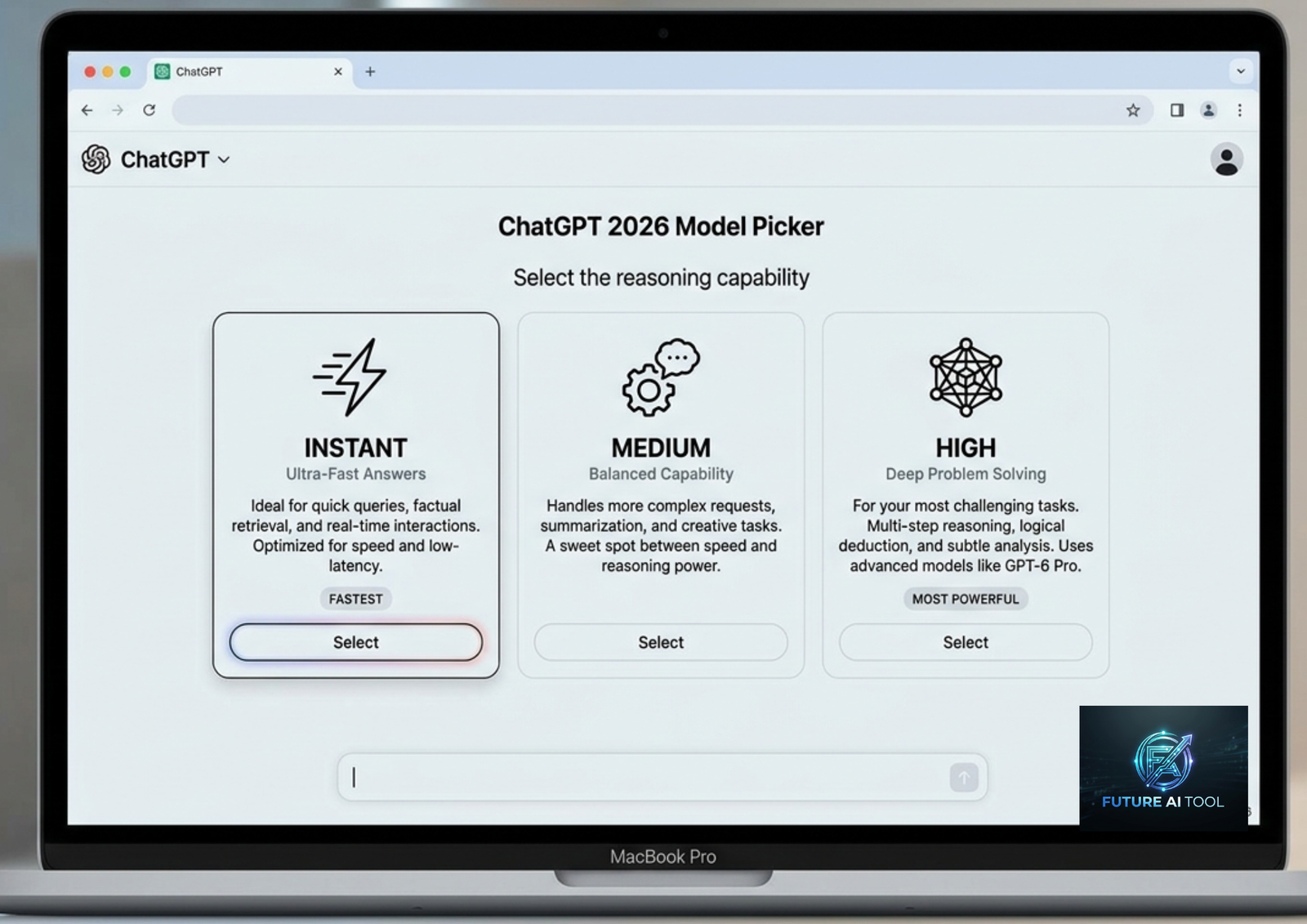
For everyday users, this matters less than it sounds. ChatGPT automatically picks the right model for your task most of the time. If you’re on a paid plan, you can also manually choose how much “thinking effort” you want using a simplified picker — options like Instant, Medium, High, and Extra High replaced the older, more confusing “Thinking Standard” and “Thinking Heavy” labels.
Beginner tip: If you’re not sure which setting to pick, leave it on automatic. ChatGPT is generally good at deciding when a question needs deep reasoning versus a quick answer.
ChatGPT Work: Your New AI Agent
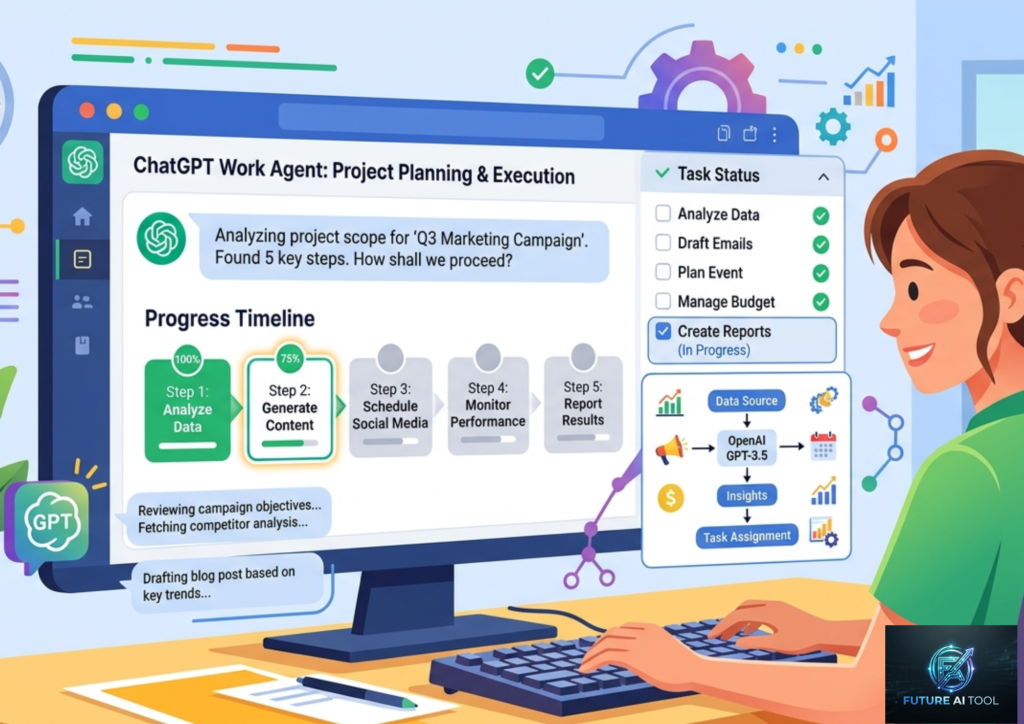
One of the most talked-about 2026 features is ChatGPT Work, an agent designed for longer, multi-step tasks rather than single questions.
Instead of just answering a question, ChatGPT Work can:
- Pull information from your uploaded files and connected apps
- Break a big goal into smaller steps
- Work independently for extended periods while you check in
- Produce finished documents, spreadsheets, presentations, or even simple websites
- Ask for your approval before taking important actions
Think of it less like a chatbot and more like a junior assistant you can hand a project to. For example, you could ask it to build a launch brief from research documents you’ve uploaded, then adapt that brief into different versions for different markets.
This is a meaningful shift from ChatGPT’s original “ask and answer” format toward something closer to genuine task delegation.
Memory Gets a Major Upgrade
Memory has always been one of ChatGPT’s most promising but inconsistent features. In 2026, OpenAI rebuilt it from the ground up under an internal project some are calling a smarter, more time-aware memory system.
Here’s what changed:
- Time-aware memory – ChatGPT now understands when something happened. A note like “I’m traveling to Chicago in August” automatically updates to reflect that the trip already happened, instead of staying stuck in the past.
- Better accuracy – Internal testing reportedly showed noticeable improvements in how well ChatGPT recalls facts and sticks to your stated preferences over time.
- More capacity for paid users – Plus and Pro subscribers get expanded memory storage.
- Free tier access – Thanks to lower computing costs, a version of this improved memory system is rolling out to Free and Go users too, not just paid subscribers.
- More control – You can now view a readable summary of what ChatGPT remembers about you, edit it, or delete it entirely from your settings.
Why this matters for beginners: If ChatGPT ever felt like it “forgot” things you told it a week ago, this update directly addresses that problem.
ChatGPT Sites: Build Without Coding
ChatGPT Sites lets you turn an idea into a working website or lightweight app, entirely inside the chat interface. No coding knowledge required.
You can use it to build:
- Simple dashboards
- Project trackers
- Launch calendars
- Prototypes
- Internal portals or reports
You describe what you want, add any relevant files or data, and ChatGPT builds a preview you can refine before publishing. Business and Enterprise users can publish these sites publicly with a shareable link, while individual Plus and Pro users get access to the core building experience.
This feature blurs the line between “chatbot” and “no-code app builder,” which is a big deal for small business owners or solo professionals who want a quick web tool without hiring a developer.
Codex and the New Desktop App
If you write code, or work with someone who does, this update is worth knowing about. Codex, OpenAI’s coding-focused agent, has now merged into the main ChatGPT desktop app.
New Codex features include:
- Editing code and Markdown files directly inside the app
- Reviewing GitHub pull requests side-by-side with the code diff
- Working across multiple repositories in a single project
- A “Record & Replay” feature that lets you demonstrate a repetitive task once, then have Codex turn it into a reusable automated skill
The desktop app now offers three modes in one place: regular Chat, Work (for general task agents), and Codex (for developers). This consolidation means fewer apps to juggle if you use ChatGPT for both writing and coding.
Smarter Image Generation
ChatGPT’s image generation tool also received a serious refresh. The updated image model is noticeably faster, renders text inside images far more accurately (a common weak spot for older AI image tools), and — perhaps most useful — allows targeted edits.
That last point matters a lot in practice. Previously, asking ChatGPT to “change the shirt color” on a generated image often meant the entire image would shift slightly. Now, edits are more precise, changing only the part you asked about while leaving the rest untouched.
This is a big win for marketers, small business owners, and content creators who use ChatGPT for quick visual drafts.
Interactive Learning Tools
For students and curious learners, ChatGPT introduced interactive visual modules for certain math and science topics. Instead of just reading an explanation, you can manipulate variables and formulas in real time and instantly see how the results change.
This currently covers dozens of topics, including:
- The Pythagorean theorem
- The ideal gas law
- Circle area calculations
- Lens equations
Combined with existing tools like study mode and built-in quizzes, this makes ChatGPT feel more like an interactive tutor than a static answer engine — a genuinely useful upgrade for anyone using it to study or teach.
Projects, File Library, and Deep Research
A few less flashy but very practical updates rolled out through 2026:
- Projects with 40-file support – Up from 20 files, Projects now let you organize a much larger set of documents, instructions, and context under one focused workspace. This is great for recurring work like quarterly reports or ongoing contract reviews.
- Persistent File Library – Available to Plus, Pro, and Business users, this gives you one central place to store and reuse files across different conversations, instead of re-uploading the same document every time.
- Deep Research improvements – ChatGPT’s multi-source research tool, which synthesizes information across many sources into one report, has continued to mature and is now considered one of the platform’s highest-value features for professional users.
None of these updates are headline-grabbing on their own, but together they make ChatGPT significantly more practical for ongoing, real-world work rather than one-off questions.
ChatGPT Pricing Plans in 2026 (Comparison Table)
Here’s how the current plans stack up:
| Plan | Approx. Price | Best For | Key Features |
|---|---|---|---|
| Free | $0 | Casual, occasional use | Core chat, basic memory, limited access to advanced models |
| Go | ~$8/month | Regular personal use | Higher usage limits, core features, ad-supported |
| Plus | ~$20/month | Professionals, students | Full model access, Projects, File Library, image generation, higher limits |
| Pro | ~$200/month | Power users, researchers | Highest usage limits, Pro-level reasoning modes, priority access to new features |
| Business/Enterprise | Custom pricing | Teams and organizations | Admin controls, ChatGPT Work, Sites publishing, enhanced security |
Note: Pricing and plan names can shift as OpenAI continues to update its offerings, so it’s worth checking the official pricing page before subscribing.
Pros and Cons of the 2026 ChatGPT Update
Pros:
- Noticeably smarter and more time-aware memory
- New agent tools (Work, Sites) reduce the need for separate apps
- Faster, more accurate image editing
- Free tier users now get access to meaningfully improved features, not just paid subscribers
- Interactive learning tools make studying more engaging
- Codex consolidation simplifies the developer workflow
Cons:
- Frequent model retirements mean older custom workflows may behave differently over time
- New features roll out unevenly, so not everyone sees them at the same time
- Some advanced tools (like Sites publishing and Work) are limited to paid or business plans
- The pace of change can feel overwhelming for casual users
- Some regions (EEA, UK, Switzerland) have delayed access to certain features
6. FAQs
1. What is the biggest ChatGPT update in 2026?
The most significant changes are the GPT-5.6 model family, the rebuilt memory system, and new agent tools like ChatGPT Work and Sites, which let ChatGPT handle multi-step tasks and even build simple websites.
2. Do I need to pay to use the new features?
Some updates, like the improved memory system, are rolling out to Free users too. However, tools like ChatGPT Work, Sites publishing, and higher usage limits are generally reserved for Plus, Pro, or Business plans.
3. Is ChatGPT’s memory feature safe to use?
You have full control over it. You can view a summary of what ChatGPT remembers, edit specific details, or turn memory off completely in your settings.
4. What happened to older ChatGPT models like GPT-4o?
OpenAI has been gradually retiring older models, including GPT-4o and GPT-5.1, as newer versions like GPT-5.6 take over. Existing conversations automatically shift to a current model, though outputs may look slightly different.
5. What is ChatGPT Work used for?
It’s designed for longer, more complex tasks — like researching a topic, building a document, or completing a multi-step project — rather than simple one-off questions.
6. Can I build a website using ChatGPT now?
Yes, through the new ChatGPT Sites feature, you can describe what you want and get a working preview of a simple site, dashboard, or app without writing code.
7. Is the new image generator better than before?
Yes. It’s faster, renders text inside images more accurately, and allows targeted edits so you can change one part of an image without altering the rest.
8. What is ChatGPT Go?
It’s a lower-cost paid plan aimed at regular users who need more usage than the Free tier offers but don’t require full professional features. It includes ads to help subsidize the lower price.
9. Is ChatGPT still just a chatbot in 2026?
For most everyday users, yes — the core experience is still a chat interface. However, features like Work and Sites are pushing it toward becoming a broader productivity and automation tool.
10. How do I know which features I currently have access to?
Check your account settings under Personalization, or review OpenAI’s official release notes page, since new features often roll out gradually rather than to everyone at once.
7. Conclusion
ChatGPT’s 2026 updates represent one of its biggest shifts since launch. The core idea hasn’t changed — it’s still an AI you talk to — but the tools around that conversation have grown significantly. A smarter memory system, agent-style task handling through Work, no-code website building through Sites, and a more capable image generator all point toward the same goal: making ChatGPT useful for real, ongoing work, not just quick questions.
Our recommendation: If you’re a casual user, the Free or Go plan will likely cover your needs, especially now that improved memory is reaching that tier. If you rely on ChatGPT for professional work, research, or content creation, upgrading to Plus is worth the cost simply for the expanded Projects, File Library, and image tools. Power users handling large-scale or business-critical tasks should look closely at Pro or Business plans to unlock Work and Sites publishing.
Whatever plan you choose, the smartest habit going forward is simple: check ChatGPT’s official release notes occasionally, since features continue to roll out gradually throughout the year.