Why Startups Are Turning to AI Logo Makers
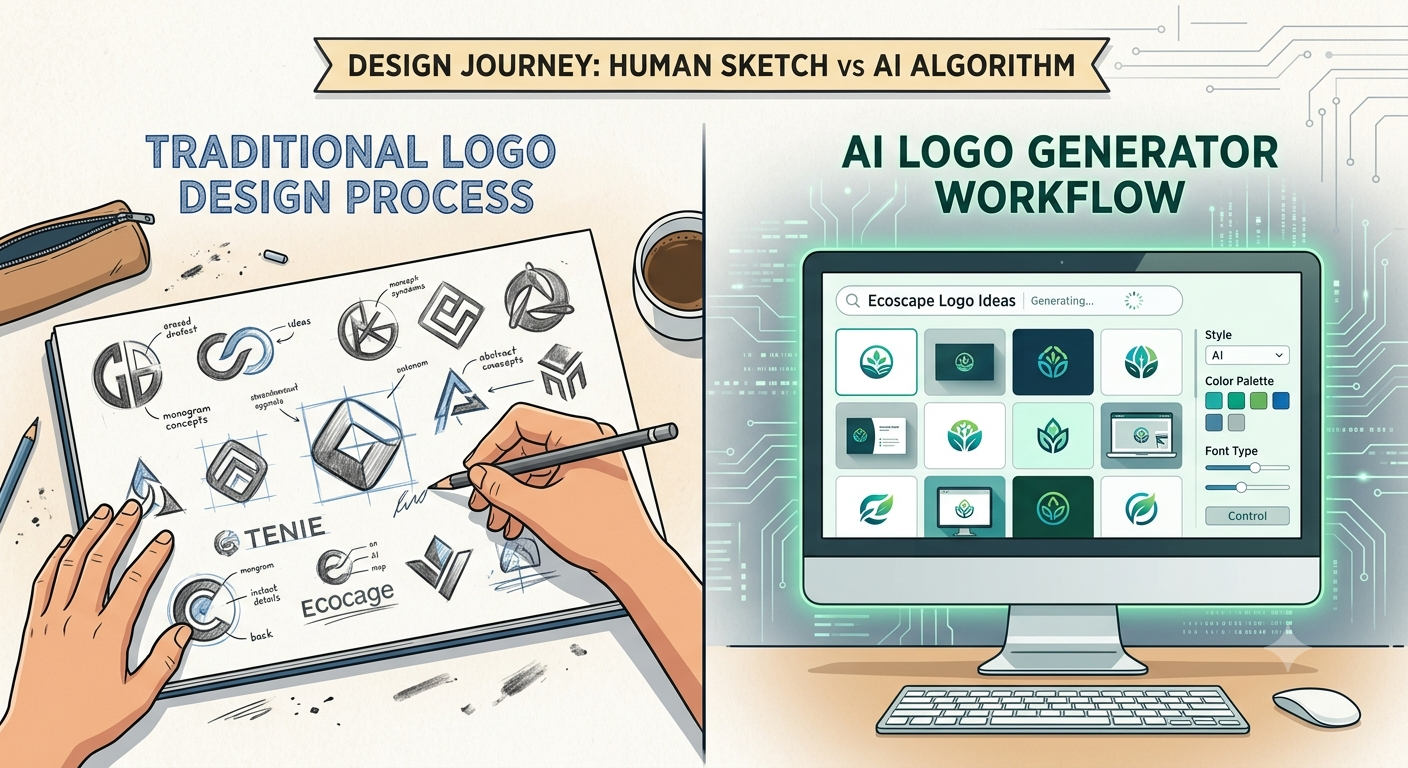
A professional logo used to mean a real budget and a real wait. Hiring a designer could easily run $500 to $5,000, with weeks of back-and-forth before you landed on something usable. For a startup trying to launch fast and validate an idea, that timeline doesn’t fit.
AI logo makers changed that equation. You enter your business name, pick a few style and color preferences, and get a range of polished logo concepts back in minutes — often for free or for a small one-time fee.
For early-stage founders, this matters more than it might seem. Many startups waste real time perfecting a logo before they’ve even validated the product. A fast, decent logo that gets your landing page and social presence live is usually worth more at this stage than a perfect one that takes three weeks to finish.
The technology behind these tools has also improved sharply. Early AI logo generators leaned entirely on template libraries because general-purpose image models couldn’t render text reliably — letters would come out garbled or mirrored. In 2026, several leading image models render typography accurately, which has pushed even template-based logo makers to produce cleaner, more varied results.
None of this means AI replaces a designer for every situation. But for an MVP launch, a side project, or a startup’s first year, it’s often more than enough.
What to Look For in an AI Logo Maker
Not all logo makers are built for the same job. Before picking one, weigh these factors against what your startup actually needs right now:
- Commercial usage rights. Free downloads are sometimes low-resolution or personal-use only. Confirm the plan includes commercial rights before you build a brand around a “free” logo.
- File formats. You’ll eventually need vector files (SVG, EPS) for printing, scaling, and app icons — not just a flat PNG. Check whether vector formats require a paid tier.
- Brand kit extras. Many tools now bundle business cards, social templates, and style guides with the logo itself, which saves time building a consistent brand presence.
- Customization depth. Some tools offer full drag-and-drop control; others use guided sliders that limit creative freedom but make it harder to produce something broken or ugly.
- Ecosystem fit. If you already use a platform like Canva for ongoing content, a logo maker built into that ecosystem can save real time down the line.
- Pricing model. Subscriptions, one-time fees, and per-logo pricing all suit different budgets — a one-time fee is often better for a founder who just needs a logo and won’t touch the tool again.
Best AI Logo Makers for Startups {#best-ai-logo-makers-for-startups-list}
1. Looka
Looka is consistently ranked as one of the strongest overall AI logo makers, and it earns that reputation through a structured process: you answer a short questionnaire on style, color, and industry, and it generates a grid of professional-looking concepts to refine. The output tends to look considered right out of the gate — layouts are well-balanced and colors are well-matched, without much need to fix ugly defaults.
Customization uses controlled sliders rather than open-ended dragging, which limits creative freedom but also makes it hard to accidentally produce something that looks broken.
Best for: Startups that want a professional-looking result with minimal editing, plus a complete brand kit.
Pricing: A low-cost basic package typically only includes a low-resolution PNG; a premium tier (commonly in the $65 range) is usually needed for vector files and full commercial ownership.
2. Canva
Canva’s AI-powered logo maker benefits from being part of a much larger design ecosystem. If your team is already using Canva for social posts, presentations, or marketing graphics, generating a logo in the same platform keeps your brand kit, fonts, and assets consistent from day one.
The free plan covers a genuinely useful amount — basic logo downloads are available at no cost, though advanced features like SVG export or transparent backgrounds typically require Canva Pro.
Best for: Founders who want a free, beginner-friendly logo plus an entire content and design workflow in one place.
Watch out for: Because so many users rely on the same templates, Canva logos can sometimes feel less distinctive than tools built specifically for logo generation.
3. Design.com
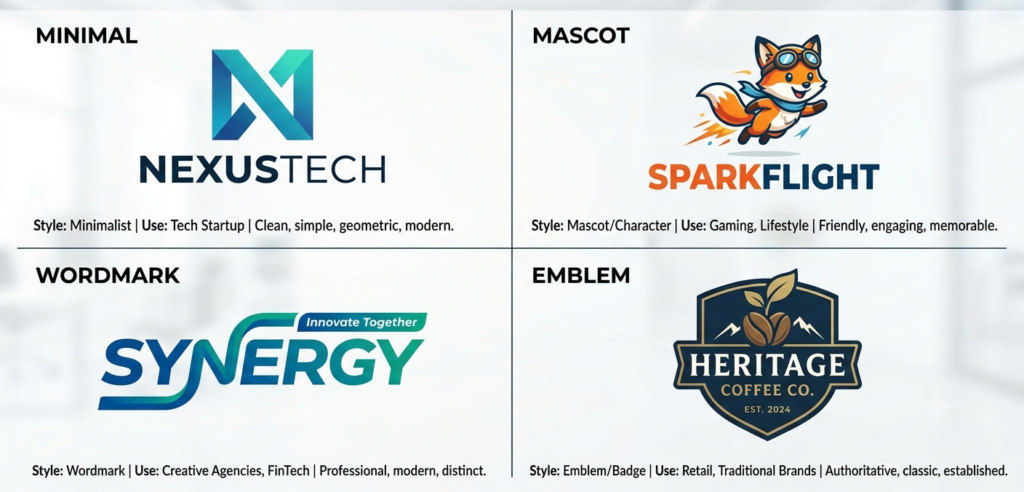
Design.com generates a large number of logo concepts from a business name and a few keywords, spanning styles from minimal and mascot-based to vintage and emblem-style designs. Its broader appeal is the ecosystem around the logo — websites, social graphics, business cards, and presentations that extend the same brand identity without starting over.
Best for: Founders who want one platform to handle the logo and most of the supporting brand assets that follow it.
Pricing: A free tier is available, with paid plans starting at a low monthly rate when billed annually.
4. Tailor Brands
Tailor Brands takes a different approach entirely — it’s built around the idea that a founder doesn’t just need a logo, but an entire business. Alongside its AI logo maker, it bundles LLC formation, registered agent services, a website builder, and branded marketing assets into a single subscription.
Best for: First-time founders who want to handle business formation and branding together in one platform.
Watch out for: If a logo is genuinely all you need right now, this bundle is more than necessary, and the logo quality itself is competent rather than exceptional.
5. BrandCrowd
BrandCrowd is a fast, beginner-friendly option built on a large library of ready-made templates. You can browse existing designs, customize fonts, colors, and layout, and download a polished result quickly. It also includes a built-in brand asset generator for matching business cards and social banners.
Best for: Founders who want speed and polish without starting from a completely blank canvas.
Watch out for: Customization is somewhat more limited compared to tools built for deeper brand identity work.
6. Brandmark.io
Brandmark focuses on producing more distinctive, generative-feeling logo output rather than heavily template-driven results. Its interface is straightforward, and it includes helpful design guidelines alongside the generator itself.
Best for: Startups that want a logo with a bit more creative edge than typical template-based tools.
Pricing: One-time logo purchases start at a modest price, with an enterprise tier available for additional file types and design team access.
7. Namecheap Logo Maker
This free tool lets you enter a brand name, select a style, and instantly get multiple AI-generated concepts — with free downloads in high-resolution PNG and SVG, and no watermark.
Best for: Budget-conscious founders who want a completely free logo with no hidden paywall for basic export formats.
8. Hatchful (by Shopify)
Hatchful is a completely free logo maker, particularly well suited to e-commerce brands. It won’t offer the deepest customization on the market, but for founders who need a solid, usable logo without spending anything, it’s a reliable option.
Best for: E-commerce startups and founders who want a genuinely free, no-frills logo maker.
9. Ideogram or Recraft (General-Purpose AI Image Tools)
As of 2026, some leading general-purpose AI image generators now render typography accurately enough to produce usable wordmark-style logos directly from a text prompt. These tools offer far more creative range than template-based logo makers, but they require more design judgment to refine into a production-ready file, since there’s no built-in brand kit or guided workflow.
Best for: Founders with some design sense who want a more original, less templated look and are comfortable doing their own refinement.
Comparison Table
| Tool | Best For | Free Plan | Vector Files Included Free? | Starting Paid Price |
|---|---|---|---|---|
| Looka | Overall quality + brand kit | Design only, no free download | No | ~$65 for premium package |
| Canva | Free logo + content ecosystem | Yes, basic PNG | No (Pro required) | Canva Pro subscription |
| Design.com | Logo + broader brand ecosystem | Yes | Varies by plan | ~$3/month (annual) |
| Tailor Brands | Logo + business formation bundle | Limited | No | Subscription-based |
| BrandCrowd | Fast, template-based polish | Yes (limited) | No | Pay-per-logo |
| Brandmark.io | More distinctive, generative feel | Design only | No | One-time from ~$25 |
| Namecheap Logo Maker | Completely free, no watermark | Yes | Yes | Free |
| Hatchful | Free e-commerce logos | Yes | Varies | Free |
| Ideogram / Recraft | Original, less templated designs | Yes (limited credits) | Depends on export | Credit-based pricing |
Pricing, free-tier limits, and commercial rights change frequently across these platforms. Always confirm current terms directly on the provider’s site before finalizing a brand.
Which Tool Fits Your Startup Stage
- Pre-launch, zero budget: Namecheap Logo Maker or Hatchful — genuinely free, no watermark
- MVP launch, want it to look polished fast: Looka or BrandCrowd
- Already building content in Canva: Canva’s built-in logo maker
- Want business formation and branding together: Tailor Brands
- Want a more original, less templated look: Brandmark.io or a general-purpose tool like Ideogram
- Planning to expand into a full brand system (website, cards, social): Design.com or Looka
Pros and Cons of AI Logo Makers
Pros
- Dramatically faster and cheaper than hiring a traditional designer
- Many tools bundle a full brand kit — business cards, social templates, style guides
- Easy to experiment with colors, styles, and layouts without design software
- Several genuinely free options exist with no watermark
- Great for validating a brand direction before committing to a bigger design investment
Cons
- Output can feel templated or generic, especially on tools with large shared template libraries
- Free tiers often exclude vector files or commercial rights
- Guided, slider-based customization can limit creative originality
- Trademark protection may require meaningful human modification in some jurisdictions
- Not a replacement for a professional designer once a brand is scaling and needs strategic distinctiveness
Commercial Rights and Trademark Considerations
This is one of the most overlooked steps in the process, and it’s worth getting right before you print business cards or file for a trademark.
- Check whether your plan includes commercial usage rights, not just a downloadable image. Some free tiers are for personal or non-commercial use only.
- Confirm you’re getting vector files (SVG, EPS, PDF) if you plan to print, scale, or use the logo as an app icon — a flat PNG won’t hold up at large sizes.
- Understand that copyright and trademark protection vary by jurisdiction. Many startups do commercially use AI-generated logos, but trademark protection may depend on meaningful human modification to the design in some countries.
- Keep your billing receipt and license terms from the specific plan you purchased, in case you need proof of commercial rights later.
Common Mistakes Founders Make With AI Logos
- Downloading a low-resolution free version and later discovering it can’t be used for print or app icons
- Spending days perfecting a logo before validating whether the business idea even works
- Picking a heavily templated design that looks similar to logos other users generated with the same tool
- Skipping the check on commercial rights before publishing the logo on a monetized site or product
- Assuming a completed logo won’t need to evolve — most brands redesign more than once as they grow
- Not testing the logo at small sizes (favicon, app icon) before finalizing it
How to Get a Better Result From Any AI Logo Tool
- Be specific with your inputs. Vague style preferences produce vague results — give the tool concrete adjectives (minimal, bold, playful, industrial) rather than generic ones.
- Generate more options than you think you need. Most tools produce dozens of variations quickly; browsing a wide set before narrowing down leads to a stronger final pick.
- Test the logo small. A design that looks great at full size can fall apart as a tiny app icon or favicon — check both before finalizing.
- Download every format you might need, even if you don’t need it immediately. Getting vector files later sometimes requires a plan upgrade.
- Treat the AI output as a strong starting point, and consider a light pass from a human designer once the business has real traction and a bigger brand budget.
Frequently Asked Questions
1. What is the best AI logo maker for startups in 2026?
There isn’t one universal answer — Looka is a strong overall pick for polished output and brand kits, Canva is best for a free logo tied to a broader content ecosystem, and Tailor Brands suits founders who want branding and business formation together.
2. Are AI logo makers actually good enough for a real business?
Yes, for most early-stage startups. AI-generated branding is often more than sufficient for MVP launches and early growth, though many successful brands eventually redesign as they scale and want more strategic distinctiveness.
3. Can I use an AI-generated logo commercially?
On most paid plans, yes — but always verify the specific terms. Some free tiers explicitly exclude commercial use, so check before publishing a logo on a monetized product or site.
4. Do AI logo makers provide vector files?
Not always on free or basic tiers. Many platforms require a premium plan to unlock SVG, EPS, or PDF formats, which you’ll need for printing and scaling.
5. Can I trademark an AI-generated logo?
Potentially, though this depends on your jurisdiction. Some countries may require meaningful human modification to the AI-generated design before granting trademark protection.
6. What’s the difference between a template-based logo maker and a generative AI tool?
Template-based tools (like Looka or BrandCrowd) assemble designs from a curated library of fonts, icons, and layouts. Generative AI image tools (like Ideogram or Recraft) create more original visuals from a text prompt but require more manual refinement into a production-ready file.
7. Is there a completely free AI logo maker with no watermark?
Yes — tools like Namecheap’s Logo Maker and Hatchful by Shopify offer free downloads without a watermark, though customization and file format options are more limited than paid platforms.
8. How much does a professional AI-generated logo cost?
Pricing ranges from completely free to one-time fees around $20–65, or subscriptions starting around $3–12 per month depending on the platform and what’s bundled with it.
9. Should a startup hire a human designer instead of using AI?
It depends on your stage and budget. AI logo makers are a strong fit for MVPs and early branding. As a company scales and needs a more strategic, distinctive identity, working with a professional designer — or a hybrid AI-plus-human service — often becomes worthwhile.
10. What should I check before finalizing an AI-generated logo?
Confirm commercial usage rights, download all the file formats you’ll need (including vector formats), and test how the logo looks at small sizes like a favicon or app icon before locking it in.
Conclusion
AI logo makers have made professional-looking branding accessible to almost any founder, regardless of budget or design background. The best tools in 2026 — Looka, Canva, Design.com, Tailor Brands, BrandCrowd, and several genuinely free options — all offer a fast path from idea to usable logo in minutes rather than weeks.
Our recommendation: If you want the most polished all-around result with a complete brand kit, start with Looka. If your budget is zero and you’re already using Canva for content, its built-in logo maker is the easiest starting point. If you’re setting up your business entity and brand at the same time, Tailor Brands’ bundle is worth a look. Whichever tool you choose, confirm commercial rights and grab vector files before you build a brand around the result — and don’t be afraid to revisit the logo with a human designer once your startup has real traction.